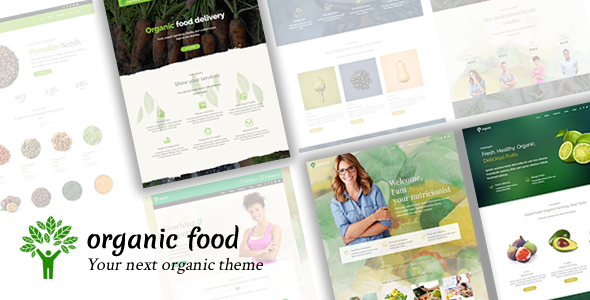
Organic Food is a WordPress theme sold on ThemeForest by the developer BoldThemes, aimed at nutritionists, dietitians, health coaches, cooking schools, farm businesses and food delivery services. It combines a drag-and-drop page builder, a full set of theme options inside the native WordPress Customizer, and pre-built demo content that can be imported with a single click. It suits a small practice or food business that wants a polished, content-heavy site without commissioning custom development, and it has been purchased 983 times at $69 per licence.
What the theme actually gives a food or wellness business
The most consequential feature is the page builder. Rather than locking layouts into fixed templates, Organic Food lets a site owner assemble pages from blocks and shortcodes — reusable snippets of pre-styled content such as buttons, columns, pricing tables or team member cards. For a nutrition practice, that means a services page, a meal-plan page and a booking page can each be laid out differently without touching code. The vendor describes the builder as fast, and the practical benefit is that a non-technical owner can restructure a page in an afternoon rather than booking developer time.
Shortcodes are supplied specifically for the verticals the theme targets. In practice these cover the elements a food business tends to need: staff or practitioner profiles, service listings, menus, testimonials and image galleries. Because they are styled to match the theme, a site built entirely from shortcodes still looks coherent rather than patched together.
Design control runs through the WordPress Customizer, which means changes preview live before publishing. The theme offers multiple header layouts, including a sticky header that stays visible as a visitor scrolls, and a choice between full-width and boxed page containers. There are also left and right sidebar options, so a blog can carry a sidebar while a landing page runs full width.
Two integrations matter for anyone selling rather than just publishing. WooCommerce support means the theme can run a shop — useful for selling supplements, meal plans, produce boxes or course places. WPML support means the site can be translated into multiple languages, which is relevant for clinics and farms serving more than one language market. A Visualizer plugin integration adds Google Charts-style data visualisation, which is a genuine differentiator for nutritionists who want to present macro breakdowns or progress charts as content rather than as plain text.
On the technical side, the theme is responsive and retina ready, meaning it adapts to phone, tablet and desktop screens and renders sharply on high-density displays. It ships translation ready and child theme ready — a child theme lets customisations survive future theme updates instead of being overwritten. The vendor also lists free updates and free support, and the listing shows a recent update date, which indicates the theme is still maintained rather than abandoned.
Demo content is included and can be imported in one click. This is a bigger practical advantage than it sounds: instead of building every page from zero, an owner starts from a populated site and replaces text and images. The vendor does flag that demo images are not licensed for production use, so those need to be swapped for licensed or original photography before launch.
Where this theme fits, and where it does not
The clearest fit is a solo nutritionist, dietitian or health coach who needs a credible multi-page site: an about page, a services page, a blog for recipe or research content, testimonials, and a contact or booking form. The shortcode library and demo content shorten that build considerably compared with assembling a site from a general-purpose theme.
It also suits a small farm or food producer selling direct. WooCommerce support covers a shop, and the visual style is built around fresh produce and natural imagery rather than the corporate look of a generic business theme. A cooking school is a third strong fit — course listings, instructor profiles and a class schedule all map onto the shortcode set.
A delivery business is a slightly different case. The theme can present a menu and take orders through WooCommerce, but it is not a dedicated ordering platform. A restaurant or delivery operation that needs real-time order tracking, delivery slot management or a live kitchen workflow should be looking at a purpose-built ordering system, not a theme. Similarly, a large multi-location clinic with complex practitioner scheduling, patient records or insurance integrations will find a theme of this kind is only the front end; the operational logic has to come from plugins or custom development.
The theme is also the wrong choice for anyone who wants a completely bespoke visual identity. It is a styled product with its own design language. Customising it heavily is possible, but the further a site moves from the demo layouts, the more the built-in styling works against rather than for the owner.
Strengths and limitations
Strengths
- Purpose-built for food, nutrition and wellness businesses, so the demo layouts and shortcodes already match the content types those businesses publish.
- One-click demo import gives a working starting point rather than a blank canvas.
- WooCommerce and WPML support cover selling and multilingual requirements without extra theme purchases.
- Theme options live in the WordPress Customizer, so changes preview before going live.
- Child theme ready, which protects customisations across updates.
- An established developer with a documented changelog and a recent update, suggesting ongoing maintenance.
Limitations
- Demo images are not licensed for production. Every image on a live site must be replaced or separately licensed, which is real work and sometimes real cost.
- The vendor does not state page speed performance figures or Core Web Vitals results, so load time cannot be assessed from the listing alone. Page builders and bundled shortcodes commonly add weight, and that should be tested on a staging install before committing.
- There is no dedicated delivery or booking engine. Ordering, scheduling and appointment logic depend on third-party plugins, which may not match the theme’s styling out of the box.
- Chart support depends on a separate Visualizer plugin rather than being built in, so that capability is not self-contained.
- The theme is opinionated visually. Sites needing a distinctive brand identity will spend time overriding defaults.
How it compares with the wider theme market
Most WordPress themes sold today fall into one of three groups: multipurpose themes that claim to fit any niche, niche themes built for a specific industry, and block-based themes that lean entirely on the native WordPress editor. Organic Food sits firmly in the second group.
Against multipurpose themes, the trade-off is focus. A general theme offers more layout variety and often a larger template library, but the owner has to adapt food-specific content — menus, practitioner bios, produce galleries — to components designed for something else. Organic Food arrives with those components already styled, which saves setup time but narrows the range of looks available.
Against block-based themes, the difference is workflow. Native block themes push everything into the WordPress site editor and tend to be lighter and more future-proof. Organic Food uses a bundled page builder and shortcode system, which is often faster to learn for someone who has not used the block editor, but ties the site’s layout to the theme’s own tooling. Migrating away later is more involved than with a pure block theme.
Against other niche food themes, the differentiators here are the breadth of verticals covered — nutrition, coaching, cooking school, farm and delivery in one product — and the chart integration, which few competitors in this space offer. The trade-off is that covering five verticals means the theme is a good fit for each rather than a perfect fit for any one.
Frequently Asked Questions
Does Organic Food require any coding knowledge to set up?
No. The theme is designed to be configured through the WordPress Customizer and a visual page builder, with demo content importable in one click. A site owner can replace demo text and images and publish without writing code. Customising beyond the built-in options, or adjusting the bundled shortcodes, would require familiarity with WordPress theme files.
Can Organic Food be used to sell products or take orders online?
Yes, through WooCommerce. The theme declares support for the WooCommerce plugin, so a shop for supplements, produce boxes, meal plans or course bookings can be added. The theme provides the styling and layout; the actual cart, checkout, payment processing and any delivery scheduling come from WooCommerce and its extensions, not from the theme itself.
Are the images shown in the demo included with the theme purchase?
No. The vendor states plainly that demo images are not licensed for third-party use on production sites. Anyone launching a live site must either license those images separately or replace them with their own photography or properly licensed stock. This is a cost and time consideration that should be budgeted before purchase.
Is Organic Food still maintained and updated?
The product listing shows a recent update, and the vendor publishes a public changelog, which indicates active maintenance rather than an abandoned product. The theme also ships child theme ready, so customisations made in a child theme survive future updates. Buyers should still check the changelog before purchase to confirm the update cadence matches their expectations.
Verdict
Organic Food is a sensible purchase for a nutritionist, dietitian, health coach, cooking school or small farm that wants a professional WordPress site without a custom build. The 983 sales and the developer’s established track record suggest a product that has been tested in the market. It is a poor fit for anyone needing a bespoke design, a dedicated delivery or appointment system, or a site built entirely on native WordPress blocks. The main costs beyond the $69 licence are image licensing and, potentially, third-party plugins for commerce and scheduling. Buyers should test page speed on a staging install before committing, since the vendor publishes no performance data.