Pinch Zoomer jQuery Plugin Images & Media is a small JavaScript library sold on CodeCanyon that adds pinch-to-zoom and mouse-wheel zooming to images, DIV content and interactive maps on a website. It is aimed at developers and site builders who need zoomable product photos, floor plans or map graphics without building the gesture handling themselves. The plugin is authored by RonFeliciano, costs $10, and has been purchased 2,696 times with an average rating of 4.72 out of 5 across 43 reviews.
That combination of a low price and a long sales history makes it worth a closer look, but the product has not been updated since August 2020, which matters for anyone maintaining a site over several years. What follows is an assessment of what the plugin actually does, where it fits, and where it does not.
What the Plugin Actually Does
At its core, the plugin intercepts touch and pointer gestures on a defined container and translates them into a zoomed and panned view of the content inside. A single line of JavaScript or an HTML data attribute is enough to activate it, so a site owner who is comfortable editing a template can get zooming working without writing gesture logic. The vendor states that jQuery, Hammer JS and TweenMax are required dependencies, which means three separate libraries need to be loaded alongside it.
Several capabilities go beyond basic image zooming and are the reason the plugin has held up commercially:
- Zooming arbitrary HTML, not just images. Any element placed inside a container — text, layered graphics, a composite layout — can be zoomed as a unit. This is what makes floor plans and annotated diagrams viable, not just photographs.
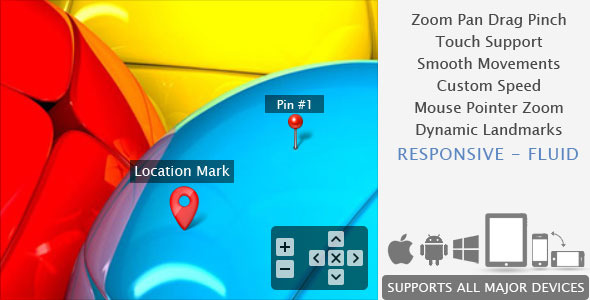
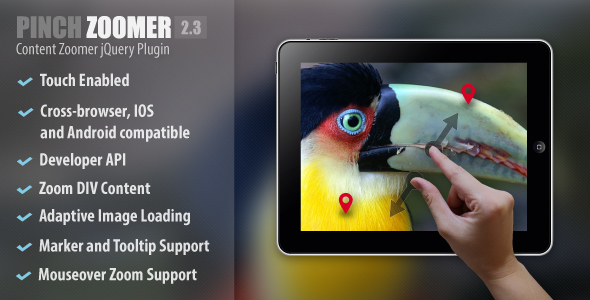
- Markers and tooltips. Pins can be placed on the zoomable content, with optional tooltips that can be repositioned or hidden during zoom and drag. Markers can also be used as zoom targets, so clicking a pin animates the view to that location. For map-style interfaces this replaces a meaningful amount of custom work.
- Adaptive image loading. The plugin can serve the appropriate image resolution for the current screen size rather than loading a full-size asset everywhere. On image-heavy pages this reduces initial load weight, which is the main practical performance benefit on offer.
- Fullscreen toggle. Content can be expanded to fill the viewport, which matters on phones where a zoomable map otherwise competes with navigation and page chrome for space.
- A developer API. Functions for transforming content and zooming to a marker are exposed, along with events for content manipulation. This is the difference between a drop-in widget and something that can be wired into a larger interface.
- Multiple independent zoomers per page. Several zoomable regions can coexist on one page without interfering with each other.
- Scroll and drag limits. Options control whether the page scrolls once the user reaches the edge of the zoomable content, and whether dragging is constrained to the centre. These small behaviours are usually what separates a zoom feature that feels broken from one that feels finished.
The plugin also preserves the current zoom level when the window is resized or the device orientation changes, which avoids the common annoyance of a user’s position being reset mid-interaction.
Where It Fits and Where It Does Not
The clearest fit is a product page with detailed imagery. A shopper on a phone can pinch to inspect stitching, materials or fine print, and the adaptive loading keeps the page from shipping a huge file to everyone. The same logic applies to real estate listings, hotel room diagrams, seating charts and technical documentation where a diagram needs close inspection.
Maps and floor plans are the second strong use case, specifically because of the marker and tooltip system. A venue operator who wants an interactive plan with labelled zones and click-to-focus behaviour gets most of that from configuration rather than custom code.
Freelancers building small brochure sites or single-purpose landing pages are a natural audience. At $10 with source files included, the plugin is cheaper than the hours required to hand-roll reliable multi-touch gesture handling across browsers.
Where it is the wrong choice: a project that needs a genuine geographic map with tile layers, geocoding, routing or satellite imagery should use a dedicated mapping library instead. Pinch Zoomer zooms a static image or DOM structure; it does not fetch map data, and treating it as a mapping solution will lead to dead ends. Similarly, anyone building on a modern component framework with an active ecosystem should check whether a maintained native option already exists before adding three jQuery-era dependencies to the bundle.
Strengths and Limitations
Strengths
- Genuinely short setup path: one line of code gets a working zoomer, with deeper configuration available when needed.
- Handles HTML content, markers and tooltips in one package, which is unusual at this price point.
- Broad browser support, including IE9 through IE11 alongside current Chrome, Firefox, Safari, Opera and Edge.
- Source files are included — JavaScript, HTML and CSS — so the behaviour can be modified rather than only configured.
- Adaptive image loading addresses the main performance objection to zoomable imagery.
- Strong review record: 4.72 out of 5 from 43 ratings, with 2,696 sales.
Limitations
- The last vendor update was 13 August 2020. Browsers and mobile operating systems have moved on considerably since then, and there is no indication in the listing of ongoing maintenance.
- Three external dependencies — jQuery, Hammer JS and TweenMax — must be loaded. On a lightweight site this is a meaningful addition to page weight for a single interaction feature.
- Images are not included in the purchase, so the zoomable assets themselves are a separate cost or production task.
- IE8 and Android 2.2.x support was removed in version 2.0; the vendor directs anyone needing those to the older 1.x releases.
- The vendor explicitly notes that testing on every device is impossible and recommends checking the live preview on the target hardware first. That is honest, but it also means compatibility is not guaranteed for any specific device.
- No documentation quality, file size or load-time figures are stated in the listing, so those cannot be assessed without installing it.
How It Compares to the Alternatives
The realistic alternatives fall into three groups. The first is a general-purpose lightbox or gallery script, which typically offers zoom as one behaviour among many. Those are convenient if a gallery is also needed, but their zoom tends to be a simple scale effect without markers, drag limits or adaptive loading.
The second group is a dedicated pan-and-zoom library. These often have larger communities and more frequent releases, but they generally focus on images alone. Adding interactive markers and tooltips usually means writing that layer yourself.
The third group is building it in-house. Modern browsers expose touch and pointer events directly, and a competent developer can produce basic pinch zooming in a reasonable amount of time. The catch is the long tail: consistent behaviour across iOS and Android, correct zoom anchoring, resize and orientation handling, and edge cases around page scrolling. Pinch Zoomer’s value is that this long tail is already handled, and at $10 the build-versus-buy calculation is straightforward for anyone who is not specifically employed to solve it.
On capability, the plugin sits above simple lightboxes and roughly level with dedicated zoom libraries, with markers as its differentiator. On maintenance and ecosystem momentum, it is behind actively developed competitors. That trade-off is the whole decision.
Frequently Asked Questions
Does Pinch Zoomer work on both mobile and desktop?
Yes. The plugin supports touch gestures on mobile devices and mouse scroll zooming on desktop, and the vendor lists compatibility with Chrome, Firefox, Safari, Opera, Edge and IE9 through IE11. It is also described as responsive, adapting to different screen sizes. Testing on the specific devices a project must support is still advisable, since the vendor cannot verify every combination.
What JavaScript libraries does Pinch Zoomer require?
It requires jQuery, Hammer JS and TweenMax to be loaded on the page. Hammer JS handles touch gesture recognition and TweenMax manages animation, while jQuery is the base the plugin is written against. All three must be present and loaded before the plugin initialises, otherwise the zooming behaviour will not run.
Can Pinch Zoomer zoom content other than images?
Yes, and this is one of its more useful traits. Any HTML placed inside a container can be zoomed as a single unit, so text, layered graphics and composite layouts work alongside standard images. Markers and tooltips can be attached to that content, which is what makes the plugin suitable for floor plans, venue maps and annotated diagrams.
Is Pinch Zoomer still maintained?
The listing shows the most recent vendor update as 13 August 2020, so it has not received a release in several years. The plugin continues to sell and retains a strong rating, but buyers should assume no further compatibility fixes for newer browser or operating system versions. Checking the live preview on current target devices before purchase is the sensible precaution.
Verdict
Pinch Zoomer jQuery Plugin Images & Media is worth buying for a specific kind of project: a site that needs zoomable product imagery, floor plans or annotated maps, built on a jQuery stack, where the developer wants the gesture handling solved quickly and cheaply. The marker and tooltip system plus adaptive image loading give it more range than a typical zoom script at this price, and the 4.72 rating across 43 reviews suggests buyers have generally got what they expected.
It is not the right purchase for anyone who needs real geographic mapping, who is building on a modern framework with maintained native alternatives, or who requires a vendor actively shipping updates. The 2020 last-update date is the single biggest caveat and should be weighed before committing.
For a one-off site where the feature works today and the codebase is unlikely to be revisited for years, the trade-off is reasonable. For a long-lived product where dependency hygiene and ongoing browser compatibility matter, the absence of recent maintenance is a genuine reason to look elsewhere.