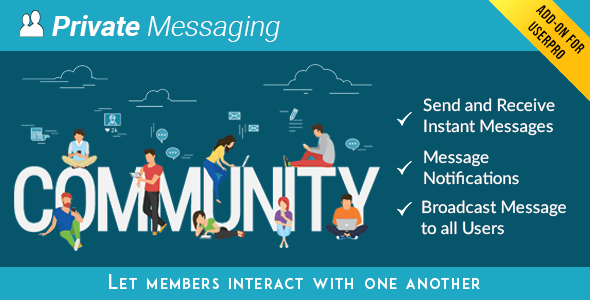
Private Messages for UserPro is a paid add-on that adds one-to-one and broadcast messaging to any WordPress site already running the UserPro membership plugin. It gives registered members an inbox, a conversation thread, blocking controls and email or on-screen alerts when a new message arrives. The plugin is aimed at community, membership and directory site owners who want members to talk to each other without leaving the site or handing the conversation to a third-party service.
It is sold on CodeCanyon by DeluxeThemes for $16, and the listing shows 2,498 sales and a 4.46 out of 5 rating across 182 reviews, which is a solid track record for an add-on in this price bracket. The catch is structural rather than financial: this is not a standalone product. It does nothing until UserPro is installed and active.
What the add-on actually does
The core function is a private messaging layer that sits inside the UserPro member experience. Members open a conversation with another member, exchange messages in a threaded view, and see a counter or popup when something new arrives. Messages are delivered through AJAX, meaning the page updates in place rather than reloading, and the vendor lists emoticon support and quick reply as part of the composer.
Beyond the basic inbox, several features change how a community actually behaves:
- Broadcast messaging. An administrator or a permitted member can push a single message to every user at once, and the system reports back whether the broadcast succeeded or failed. This is the feature that separates the add-on from a plain inbox — it turns messaging into a lightweight announcement channel.
- Role-based permissions. Access is not all-or-nothing. The site owner decides which WordPress user roles may send messages, which may receive them, and which may broadcast. That matters on sites where subscribers should be able to reply but not mass-message the entire database.
- Connection and follower restrictions. Messaging can be limited so members only write to people they already follow or are connected to. On a large site this is the difference between a social feature and an open spam channel.
- Blocking. Individual users can block and later unblock others from contacting them, without administrator involvement.
- A global message footer. Text added here appears at the bottom of every private message. It is intended for disclaimers and house rules, and it is the kind of small compliance detail that is easy to overlook until a legal question arrives.
- Email notification templates. New-message emails use editable templates, and there is an option to notify only users who are currently offline, which avoids cluttering inboxes for people already logged in.
- Front-end triggers. Messages can be launched from a custom link, and a drag-and-drop widget places a send-message control on a member’s front-end profile or dashboard.
Administrative settings cover smaller behavioural choices too: whether pressing Enter sends a message, whether the newest message appears at the top or bottom of a thread, and whether the notification count refreshes automatically. The add-on is declared compatible with WordPress 4.9 through 6.3, is marked as Gutenberg-optimized, and ships with the JavaScript, CSS and PHP source files. The vendor also states support for Internet Explorer 9 through 11 alongside current Firefox, Safari, Opera, Chrome and Edge — an unusually wide browser claim that reflects the age of the codebase.
Where this add-on fits, and where it does not
The clearest fit is an existing UserPro site that already has members interacting through profiles and follows. Adding messaging there keeps activity on the domain, keeps the member list in one database, and avoids asking users to adopt a second account on a separate chat platform. Niche communities, alumni networks, coaching and course sites, and membership directories all benefit from having a private channel that lives next to the profile it belongs to.
Broadcast is particularly useful for site owners running a paid community. It gives them a way to reach every member inside the product rather than relying on an email list that may be stale or filtered. Restricting broadcast to administrator roles keeps that power from spreading.
The add-on is the wrong choice in a few common situations. If the site does not run UserPro, buying this is pointless — the vendor requires UserPro v1.0.77 or higher, and there is no standalone mode. If the goal is real-time group chat with channels, typing indicators and read receipts, this is not that product; it is a private message system with a broadcast option, not a Slack replacement. And if the site needs a messaging feature that is actively developed against current WordPress releases, the update history gives pause: the most recent entry is version 4.10.0 from July 2022, and before that the previous release was April 2022, with a five-year gap between 2017 and 2022.
Strengths and limitations
Strengths
- Deep integration with UserPro roles, follows and connections, so permissions follow the membership structure already in place.
- Broadcast with success or failure reporting is a genuinely useful extra that most simple inbox add-ons lack.
- Granular administrative control over who can send, receive and broadcast, including follower-only messaging.
- User-level blocking and unblocking without administrator intervention.
- Editable email templates and an offline-only notification option reduce inbox noise.
- Source files are included, so a developer can modify markup, styling or behaviour rather than working around an encrypted package.
- Long sales history and a large review base, which makes the product’s behaviour reasonably predictable before purchase.
Limitations
- It is entirely dependent on UserPro. There is no way to use the messaging layer with a different membership plugin or on a plain WordPress site.
- The last vendor update was July 2022. The listing claims compatibility up to WordPress 6.3, but nothing newer is declared, so sites on later releases are testing untested territory.
- There is no group chat, no channels, no read receipts and no typing indicator. Conversations are one-to-one, with broadcast as the only many-recipient option.
- High-resolution assets are not included, according to the product data, which can matter on retina displays if the interface uses raster graphics.
- Messaging only works for logged-in users, so there is no way for a visitor or prospect to contact a member before registering.
- The update log shows a pattern of small incremental fixes over many years, including a security fix for a user auto-login issue in 2017. Buyers should assume the code carries the habits of its era.
How it compares with the alternatives
There are three broad routes to member messaging on WordPress. The first is a dedicated standalone messaging plugin, which works with any site but usually has to be configured to recognise whatever membership structure exists, and often duplicates user data. The second is a hosted chat or support widget, which brings modern real-time features but moves conversations off-site and typically charges per seat or per volume. The third is an add-on like this one, which trades breadth for integration.
The trade-off is straightforward. Private Messages for UserPro will not match a dedicated chat platform on real-time feel or feature depth, and it will not work outside UserPro at all. What it does offer is messaging that already understands roles, connections and follows, with no second user database and no external dependency. For a site that has already committed to UserPro, that integration is worth more than a longer feature list elsewhere. For anyone else, the alternatives are the better starting point.
Frequently Asked Questions
Does Private Messages for UserPro work without the UserPro plugin?
No. The add-on requires UserPro v1.0.77 or higher to be installed and active, and it has no standalone mode. Buying it without UserPro already running on the site results in a product that cannot function, so the two purchases go together.
Can administrators send a message to every member at once?
Yes. The broadcast feature sends a single message to all users and reports back whether it succeeded or failed. Access to broadcasting is controlled by role, so the site owner can decide which user types are allowed to send mass messages and which are limited to one-to-one conversations.
Is there a way to stop members from messaging each other?
Yes, at two levels. Administrators can restrict sending and receiving by WordPress user role, or limit messaging to members who already follow or are connected to each other. Individual users can also block and later unblock specific people from contacting them, without needing an administrator.
Does the add-on notify users by email when a message arrives?
Yes, and the email templates are editable. There is also a setting that sends notifications only to users who are currently offline, which prevents duplicate alerts for members who are already logged in and watching the on-screen notification counter.
Verdict
Private Messages for UserPro is a sensible purchase for one specific buyer: someone already running a UserPro community who wants private messaging that respects existing roles, follows and connections, and who values the broadcast option for site-wide announcements. At $16 with a 4.46 rating across 182 reviews, the risk is low and the integration is the main selling point. It is the wrong choice for anyone not using UserPro, for sites that need group chat or modern real-time messaging, and for projects that require a plugin actively maintained against the newest WordPress releases — the July 2022 update date is the single biggest reason to hesitate. Sites on older, stable WordPress versions with an established UserPro install will get the most out of it.