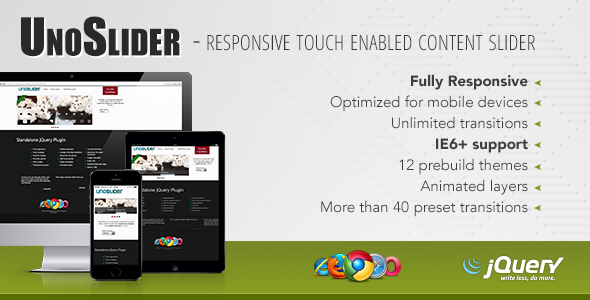
UnoSlider Sliders is a jQuery plugin that turns ordinary HTML content into a responsive, touch-enabled slideshow with animated layers and a transition engine the vendor describes as unlimited. It is sold on CodeCanyon for $10 under the author name Unodor, and it is aimed at developers and site owners who want a slider they can drop into an existing page, theme or template without paying a monthly subscription or rebuilding their front end around a hosted service. The plugin carries a 4.44 out of 5 rating across 122 reviews and has recorded 9,660 sales, which places it among the more widely purchased slider scripts in its category.
What the plugin actually does well
The core proposition is a content slider built on jQuery, the long-standing JavaScript library that handles DOM manipulation and animation in the browser. Rather than restricting slides to images, UnoSlider accepts arbitrary HTML inside each slide, so headings, paragraphs, buttons and embedded markup all work. That single decision makes the plugin far more flexible than the image-only carousels that dominate free alternatives.
Animated layers are the headline capability. Individual elements inside a slide can be animated independently, which means a headline can fade in, a button can slide up, and a caption can scale, all on separate timing. The vendor notes that layer animations are interruptible, a detail that matters more than it sounds: if a visitor swipes to the next slide mid-animation, the outgoing animation stops cleanly instead of fighting the transition. Sliders that get this wrong produce visible stutter, and it is one of the most common complaints about cheaper scripts.
Transitions are where the marketing claim gets interesting. The vendor states the transition count is effectively unlimited and ships more than 40 presets. In practice this means the plugin exposes the animation parameters rather than locking users into a fixed menu, so a developer can define custom easing and movement combinations. For most projects the presets will be enough; for agencies wanting a signature motion style, the flexibility is genuine.
Responsiveness and touch support are handled natively. The slider adapts to viewport width, and swipe gestures work on phones and tablets without an additional library. Version 1.7 added the ability to build a full-width slider, which is the layout most marketing pages actually want. Multiple sliders can run on a single page, and an image preloader avoids the flash of empty frames that plagues naive implementations.
Configuration runs through more than 30 global options plus per-slide overrides, exposed through a public API. That combination is the practical difference between a slider that fits one design and a slider that fits a design system. Twelve prebuilt themes ship with the package, and the CSS is structured to be overridden rather than fought with. Source files include the JavaScript, HTML and CSS alongside a layered PSD, so a designer can rebuild the visual layer from scratch if the themes do not match a brand.
Browser coverage is unusually broad. The vendor lists support from Internet Explorer 6 and 7 upward through IE11, plus Firefox, Safari, Opera and Chrome. IE6 and IE7 support is explicitly qualified as partial, which is an honest caveat rather than a marketing claim.
Where UnoSlider fits, and where it does not
The strongest fit is a developer or agency maintaining a self-hosted site, particularly one built on a CMS or bespoke PHP stack where the slider needs to live inside existing templates. The $10 one-time price and the included source files mean the plugin can be modified, version-controlled and deployed without licence negotiation. A freelancer building a brochure site with a hero slideshow and a couple of content carousels on interior pages can configure everything from a single installation.
It also suits projects with legacy requirements. Very few modern slider libraries still claim IE7 support, and for organisations running internal tools or public sites with an older audience, that compatibility can be the deciding factor. The jQuery dependency is a benefit in this context, since jQuery is already present on a large share of existing sites.
The wrong choice is a modern single-page application built on React, Vue or similar frameworks. UnoSlider is a jQuery plugin, and pulling jQuery into a component-based build purely for a slider adds weight and an awkward integration layer. Projects that need server-side rendering, accessibility-first markup out of the box, or active long-term maintenance should also look elsewhere, for reasons covered below.
Strengths and limitations
Strengths
- Arbitrary HTML inside slides, not just images, which removes the need for a separate content layer.
- Independent animated layers with interruptible playback, producing transitions that hold up under fast user input.
- Configurable transition engine with more than 40 presets and room for custom definitions.
- Touch gestures and responsive sizing built in, with no extra dependency.
- Full-width slider support added in version 1.7.
- Over 30 global options plus per-slide settings and a public API for programmatic control.
- Twelve themes, editable CSS and a layered PSD for design customisation.
- Multiple sliders can coexist on one page.
- Broad browser support including partial IE6 and IE7 compatibility.
- Source files included, so the code can be audited and modified.
Limitations
- The last recorded update is 16 January 2015. That is a decade without a release, and any bug discovered since then has gone unaddressed by the vendor.
- No high-resolution asset pack is declared. The vendor’s specification lists high-resolution as “No”, so the bundled theme graphics are not retina-ready and will need replacing on modern displays.
- The plugin depends on jQuery. Sites that have removed jQuery, or that never used it, must add the library purely to run the slider.
- Documentation quality is a recurring theme in the changelog, which records typo fixes in versions 1.2, 1.4 and 1.5. The docs exist and cover installation, but the vendor’s own release notes suggest they have needed repeated correction.
- Accessibility provisions such as keyboard navigation, ARIA roles and focus management are not stated in the vendor’s feature list. Buyers with WCAG obligations should verify this before purchase rather than assume it.
- Support expectations should be calibrated to the age of the product. A vendor who has not shipped an update since 2015 is unlikely to respond to new tickets.
How it compares with the wider slider market
The slider category splits roughly into three groups: hosted SaaS sliders with monthly fees, heavyweight WordPress-specific plugins, and standalone JavaScript libraries. UnoSlider sits firmly in the third group, and that positioning explains most of its trade-offs.
Against hosted services, the advantage is ownership. There is no subscription, no external request to a third-party server, and no risk of a pricing change breaking a live site. The disadvantage is that maintenance becomes the buyer’s responsibility, and with no updates since 2015, that responsibility is real.
Against WordPress slider plugins, UnoSlider is framework-agnostic. It works on WordPress, but it works equally well on a custom PHP site, a static HTML build or a legacy CMS. WordPress plugins tend to offer tighter admin integration and visual editing, which UnoSlider does not attempt. Buyers who want to hand a client a drag-and-drop editor should look at that category instead.
Against modern vanilla JavaScript sliders, the comparison is mostly about era. Newer libraries ship without dependencies, target current browsers only, and often include accessibility features by default. UnoSlider counters with a decade of field testing, a large installed base and legacy browser support that newer libraries have deliberately dropped. The choice comes down to whether a project needs the old-browser coverage and HTML-layer flexibility more than it needs active maintenance.
Frequently Asked Questions
Is UnoSlider still maintained?
No. The vendor’s last recorded update was 16 January 2015, which shipped version 1.7 and added full-width slider support. No releases have followed, so buyers should treat the plugin as feature-frozen. It will continue to run, but security patches, browser compatibility fixes and new features should not be expected from the author.
Does UnoSlider work with WordPress?
Yes, in the sense that it is a jQuery plugin that can be enqueued into any WordPress theme or child theme. It is not a WordPress plugin with an admin interface, so slides are defined in code or via a custom field rather than through the dashboard. Sites already loading jQuery will find integration straightforward.
Can UnoSlider handle video or only images?
Slides accept arbitrary HTML, so embedded video players, iframes and custom markup can be placed inside a slide. The vendor does not ship a dedicated video slide type with playback controls, so autoplay, pausing and responsive video sizing must be handled by whatever embed method is used inside the slide content.
Is the $10 price a one-time payment?
Yes. CodeCanyon sells UnoSlider as a single-purchase licence with the JavaScript, HTML, CSS and layered PSD source files included. There is no recurring fee. Buyers should check the current CodeCanyon licence terms for how many end products a single purchase covers, since that detail is set by the marketplace rather than the author.
Verdict
UnoSlider Sliders is a sensible purchase for developers who need a flexible, self-hosted jQuery slider with animated HTML layers, touch support and unusually wide browser coverage, and who are comfortable owning the code without vendor updates. The 9,660 sales and 4.44 rating indicate a large body of buyers found it workable, and the $10 one-time price makes the risk low. It is the wrong choice for anyone building on a modern JavaScript framework, for projects with strict accessibility requirements that need documented ARIA support, or for clients who expect ongoing maintenance and support. The absence of any update since January 2015 is the single fact that should shape the decision, and buyers should weigh it before adding the plugin to a long-lived production site.