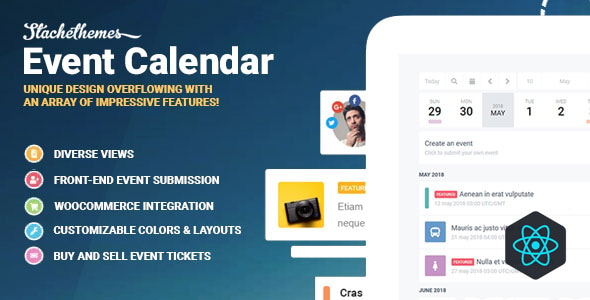
Stachethemes Event Calendar is a WordPress plugin that adds a full event management system to a WordPress site, covering calendar displays, event submission, RSVP handling and ticket sales through WooCommerce. It is built by Stachethemes and sold on CodeCanyon for a one-time price of $79, with 6,906 sales and a 4.59 out of 5 rating across 215 reviews. It suits organisations that publish recurring events and need more than a basic date grid, such as venues, community groups, training providers and conference organisers.
What the plugin actually does beyond drawing a calendar
The core of the product is a front-end calendar interface built with React.js, a JavaScript library that updates parts of a page without reloading it. That choice matters in practice: switching between month, week and day views, filtering events or opening an event popup happens without a full page refresh, which keeps the browsing experience closer to a web application than a standard WordPress archive.
Seven display types are available: month, week, day, agenda, grid, box grid and map. Each can be embedded through a Gutenberg block, and there are separate blocks for an event slider, an event list and a submission form. A drag-and-drop layout builder controls how an individual event page is assembled, and the vendor added custom field and custom checkbox elements to that builder in the most recent release, so values captured on the submission form can be shown on the front end.
Recurrence is handled in more depth than most calendar plugins attempt. Events can repeat daily, weekly, monthly or yearly, run on selected weekdays or weekends, follow patterns such as the third Tuesday of each month, and carry exclusion dates for one-off cancellations. For unusual schedules, an RRULE string — the standard text format used by calendar applications to describe repetition rules — can be entered manually.
Attendance and ticketing sit in the same plugin rather than in a separate add-on. Organisers can invite attendees manually, accept RSVPs through a form, or sell tickets as WooCommerce products, including variable tickets. Capacity can be capped per event or per occurrence of a repeating event, waiting lists are supported, and a built-in QR code scanner validates tickets at the door. Because checkout runs through WooCommerce, any payment gateway that plugin supports is available.
Around that core, the plugin bundles a set of supporting tools: Google Maps and OpenStreetMap for locations and directions, proximity search so visitors can find events near them, OpenWeather forecasts attached to events, iCalendar and CSV import and export, iCalendar sync from a remote URL, a media slider, downloadable file attachments, an event schedule section, organizer and guest listings, social share links, and automatically generated schema markup, which is the structured data search engines read to produce rich event results.
Integrations extend to BuddyPress for community features, WPML for multilingual sites, Elementor, WPBakery and Visual Composer for page building, and Google reCAPTCHA for spam protection. The vendor also exposes a REST API and WordPress filter hooks for developers who need to modify behaviour programmatically, and source files for the JavaScript, CSS and PHP are included.
Where this fits, and where it does not
The strongest fit is a WordPress site that treats events as a primary content type rather than a sidebar widget. A music venue publishing weekly listings and selling tickets, a training company running the same course on a repeating schedule with capped seats, or a membership organisation using BuddyPress that wants members to submit and RSVP to events all map cleanly onto what the plugin provides out of the box.
It also suits projects where the front end needs to be self-service. Because events can be created, edited and managed from the front end, a site owner can give contributors an account and let them publish without granting access to the WordPress admin area. Combined with the submission form block and the layout builder, that removes a meaningful amount of editorial overhead on multi-organiser sites.
The plugin is a poor choice for a site that only needs to list a handful of upcoming dates. The feature set is broad, and a lightweight calendar block or a simple custom post type would deliver the same visible result with far less installed weight and fewer settings to configure. It is also not the right tool where events must live inside a fully managed SaaS platform with its own mobile app, attendee CRM or marketing automation — this is a self-hosted WordPress plugin, and everything it stores lives in the site’s own database.
Strengths and limitations
Strengths
- Recurrence handling is unusually thorough, including exclusion dates, nth-weekday patterns and manual RRULE entry for edge cases.
- Ticketing, capacity limits, waiting lists and QR validation are included rather than sold separately, and payments route through WooCommerce gateways the site already trusts.
- Seven calendar views plus a slider and list block give real flexibility in how events are presented on different pages.
- The drag-and-drop event layout builder means the single event page can be restructured without editing template files.
- Front-end submission and management reduce the need to give contributors admin access.
- Schema markup is generated automatically, which is the part of event SEO most site owners forget to handle.
- iCalendar import, export and URL sync make it practical to exchange event data with other calendar systems.
- REST API access and WordPress filters give developers a route to customisation without forking the plugin.
Limitations
- The dependency list is long. WooCommerce, BuddyPress, WPML and page builders are all supported, but a site running several of them together is stacking a lot of plugins that must remain mutually compatible.
- There is no free tier and no trial. The only way to evaluate the plugin is through the vendor’s demo, which limits testing against a site’s own theme, plugins and hosting setup before paying $79.
- Because the interface is React-based and loaded on demand, the plugin adds JavaScript to the front end. Sites with strict performance budgets will need to measure the actual impact rather than assume it is negligible.
- The vendor’s compatibility list names WordPress versions up to 7.0.x, but the marketplace specification sheet lists 6.3.x through 7.0.x only. Sites on older WordPress branches are not covered by the stated support range.
- Weather forecasts, proximity search and map features depend on third-party services. Availability and any usage limits or costs attached to those services are not stated in the product data.
- The documentation surface is large. With this many settings across views, recurrence, attendance and booking, configuration is a project in itself rather than a five-minute install.
How it compares with other event calendar plugins
Event calendar plugins for WordPress generally fall into three groups: lightweight display-only calendars, mid-range plugins that add RSVP and submission, and full event management systems with ticketing. Stachethemes Event Calendar sits firmly in the third group, and the dividing line is ticketing. Many alternatives in the category either omit ticket sales or push them into a paid extension, whereas this plugin treats WooCommerce as the booking engine from the start — which means variable tickets, coupons, stock limits and the full range of WooCommerce payment gateways are available without additional purchases.
On display, the plugin is more generous than most. Seven view types plus a slider and list block is a wider set than typical single-view or dual-view calendars offer, and the drag-and-drop layout builder for event pages is not a common inclusion at this price point. Where it gives ground is simplicity. A site that wants a clean month grid and nothing else will find the settings, dependencies and front-end JavaScript heavier than necessary.
Recurrence is another differentiator worth weighing. Basic plugins handle daily, weekly and monthly repetition. Exclusion dates, nth-weekday rules and direct RRULE input are the kind of controls that appear when a product has been maintained for years, and the changelog supports that reading — the plugin has been in continuous development, with the most recent update fixing timezone handling in weather forecasts and ICS export times. For anyone whose events do not follow a tidy schedule, that maturity is the main argument for choosing this over a newer competitor.
Frequently Asked Questions
Does Stachethemes Event Calendar require WooCommerce?
No. WooCommerce is only needed if the site sells tickets. Events, calendars, RSVP forms and attendance lists all work without it. Installing WooCommerce is what unlocks paid ticketing, variable ticket types, coupons, quantity limits and payment gateway processing, so the requirement depends entirely on whether bookings are free or paid.
Can visitors submit events from the front end?
Yes. The plugin includes a front-end event submission form, available as a Gutenberg block, and events can be created and managed without entering the WordPress admin area. That makes it workable for multi-organiser sites where contributors need publishing rights but should not have full administrative access to the installation.
How does the plugin handle recurring events?
Recurrence covers daily, weekly, monthly and yearly patterns, with options for specific weekdays, weekends, exclusion dates for cancelled occurrences, and rules such as the third Tuesday of each month. A manual mode accepts RRULE strings directly, which covers schedules that the visual repeat controls cannot express.
Can tickets be validated at the venue?
Yes. The plugin includes a built-in QR code scanner for validating tickets, so staff can check attendees in at the door without third-party software. Tickets are sold as WooCommerce products, and capacity can be limited either across the whole event or per occurrence when the event repeats.
Verdict
Buy this if events are central to the site and the requirements include recurring schedules, RSVP or paid ticketing, front-end submission, and control over how event pages look. The combination of deep recurrence rules, WooCommerce-powered booking and a drag-and-drop event layout builder is difficult to match at a one-time $79, and a 4.59 rating across 215 reviews on more than 6,900 sales suggests the plugin holds up in real installations.
Do not buy it for a site that only needs a simple list of dates, or where the priority is keeping the plugin footprint as small as possible. The dependency list, the React front end and the breadth of settings are all costs that only pay off when the event functionality is genuinely doing heavy lifting. Sites on WordPress versions below the stated 6.3.x support range should also look elsewhere or plan an upgrade first.