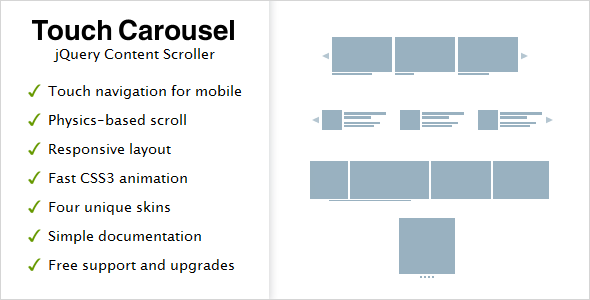
TouchCarousel is a jQuery-based content scroller and slider script sold on CodeCanyon for $11. It turns a list of HTML elements into a horizontally scrollable strip that responds to touch gestures, mouse dragging, arrow buttons, bullets, a scrollbar or a keyboard, and it can run in either a paged mode or a free-scrolling mode with momentum. It suits developers and small agencies who need a dependable carousel for a specific kind of layout and are comfortable editing CSS and a short block of JavaScript configuration.
The plugin comes from an author trading as GalleryForge, and it has accumulated 5,597 sales with a 4.67 out of 5 rating across 377 reviews. Those numbers matter because they indicate the script has been deployed widely enough that its rough edges are known and documented. It has not been updated since September 2016, which is the single most important fact in this review and one that shapes everything below.
What the script actually does well
The core strength is the scrolling engine. TouchCarousel supports two distinct interaction models. In paged mode, the strip advances by a configurable number of items and snaps cleanly to a boundary, which is what most people picture when they hear “carousel”. In free-scroll mode, the strip moves continuously under the finger or cursor and decelerates with simulated physics, closer to how a native mobile list behaves. Switching between them is a configuration change rather than a rewrite.
Transitions are handled with hardware-accelerated CSS3 transforms rather than JavaScript-driven position updates. In practice this means smoother motion on mobile hardware and less work for the main thread. The trade-off is that very old browsers without transform support fall back to a less fluid experience, which is why the plugin lists Internet Explorer 7 through 10 among its supported browsers rather than dropping them entirely.
Content handling is more flexible than many competing sliders. Each slide can hold arbitrary HTML of any size, so a carousel can mix an image, a caption block, a price table and a button without fighting a fixed aspect ratio. The markup is present in the document rather than injected by script, which keeps the content indexable by search engines — a meaningful difference from sliders that render everything client-side and leave crawlers with an empty container.
The customisation surface is unusually broad for the price. Arrows, bullet pagination and the scrollbar can each be switched on or off independently. Mouse dragging can be disabled while touch dragging stays active, which matters on desktop layouts where drag-to-scroll interferes with text selection. Individual elements inside a slide can be excluded from touch handling by adding a class, so form inputs and selectable text behave normally instead of triggering a slide change. Keyboard navigation is available as an option. The CSS file is commented and organised, and four visual skins ship with matching layered Photoshop files for anyone who wants to restyle from source rather than override.
For developers, there is a documented API exposing public methods, properties and callbacks, so the carousel can be driven from surrounding application code — advancing on an external button press, reading the current index, or reacting to a slide change. Autoplay is implemented thoughtfully: it pauses on hover and stops once the user interacts with the carousel, rather than fighting the visitor for control.
Where it fits, and where it does not
The strongest fit is a fixed-width or full-width carousel on a desktop-first site that also needs to work acceptably on tablets and phones. A photography portfolio, a product strip on an ecommerce landing page, a school or club site listing upcoming events, a banner rotator in a header — these are the scenarios the plugin was built for, and the vendor notes that design agencies, newsletter companies and schools have used it. Multiple carousels with different skins can coexist on a single page, which is convenient for sites that need a hero rotator and a separate thumbnail strip.
It is also a reasonable choice for teams maintaining a legacy jQuery codebase. The script targets jQuery, includes a jQuery 1.9 compatibility fix in its changelog, and does not demand a build step or a module bundler. Dropping it into an existing template is a matter of including two files and writing a configuration object.
It is the wrong choice for a project that needs a genuinely responsive slider where slide widths adapt fluidly to the viewport. The vendor states plainly that TouchCarousel is responsive only in full-width free-scroll mode, and only for width. Paged carousels with a fixed number of visible items do not reflow to show fewer items on a narrow screen. Anyone needing true responsive behaviour is directed by the author to a different product in his catalogue. That is an honest limitation, and it disqualifies the plugin for a large share of modern projects where a single carousel must look correct at 360px and 1440px without separate configurations.
A second mismatch is video. Slides accept any HTML except video, so a carousel built around embedded media players is out of scope.
Strengths and limitations
Strengths
- Two scrolling models — snapping paged mode and physics-based free scroll — from one script, configurable per instance.
- Hardware-accelerated CSS3 transitions produce smooth motion on mobile hardware.
- Slides accept arbitrary HTML at any size, so mixed-content carousels are straightforward.
- Content lives in the DOM and remains crawlable, which is not true of every slider in this category.
- Fine-grained control over touch behaviour: drag direction can be restricted, touch handling can be suppressed on chosen elements, and mouse dragging can be disabled independently.
- Documented public methods, properties and callbacks make integration with surrounding code practical.
- Four skins with layered Photoshop source files, plus a commented CSS file for restyling.
- Autoplay that pauses on hover and stops after user interaction rather than overriding it.
- Low price relative to the breadth of configuration.
Limitations
- Last updated in September 2016. There is no indication of ongoing maintenance, and the compatibility list stops at Internet Explorer 10, so behaviour on current browser versions is not something the vendor has certified.
- Responsiveness is partial by the author’s own admission — width only, and only in full-width free-scroll mode. Paged carousels do not adapt their visible item count to screen size.
- Video cannot be placed inside a slide.
- Built on jQuery, which adds a dependency that newer projects may not otherwise carry.
- The documentation is described by the vendor as simple; there is no evidence of a comprehensive reference beyond the API surface.
- Preview photography is credited to a third party and is not included in the download, so the demo look cannot be reproduced exactly from the package.
How it compares to the wider slider category
Carousel scripts generally divide along three axes: whether they are responsive, whether they depend on a framework, and how much control they give over touch behaviour.
On responsiveness, TouchCarousel sits behind the current mainstream. Most contemporary sliders treat fluid resizing as a baseline expectation, adjusting visible slide counts and heights as the viewport changes. This plugin offers that only in one mode and only on one axis. Buyers whose primary requirement is a carousel that looks right on every device should look at responsive-first alternatives, including the author’s own recommendation.
On framework dependency, the plugin is in the same position as a large body of jQuery-era scripts. Projects already running jQuery pay no extra cost; projects built on modern component frameworks would be introducing a dependency purely for the carousel.
On touch control, TouchCarousel is ahead of much of the field. The ability to limit drag to a single direction, to exempt specific elements from touch handling so text selection and form inputs work, and to disable mouse dragging while keeping touch dragging, reflects real attention to the friction points that make carousels frustrating on mobile. Many cheaper sliders treat touch as a binary on-or-off setting.
The $11 price and the 5,597 sales place it firmly in the budget tier, where buyers are trading maintenance guarantees for capability and cost. That trade is reasonable for a stable, finished site and questionable for a project expected to run for years on evolving browsers.
Frequently Asked Questions
Is TouchCarousel responsive on mobile?
Only partly. The vendor states that the plugin is responsive in full-width free-scroll mode, and only for width. Paged carousels that show a fixed number of items do not reduce that count on smaller screens. For a carousel that must reflow properly across phone, tablet and desktop, this plugin is not the right tool.
Does TouchCarousel still work with current versions of jQuery?
The vendor does not state this. The changelog records a jQuery 1.9.0 compatibility fix in version 1.2, and the last update was September 2016. Later jQuery releases are not mentioned in the supplied information, so compatibility with current versions would need to be verified by testing before purchase or deployment.
Can TouchCarousel display video inside a slide?
No. Each slide can contain any HTML content at any size, with video explicitly excluded. Carousels built around embedded media players, whether self-hosted files or third-party embeds, fall outside what this script supports. Image galleries, banner rotators and mixed text-and-image slides are all within scope.
Is TouchCarousel good for SEO?
Yes, relative to sliders that render content client-side. Slide content sits in the document rather than being injected by JavaScript, so search engine crawlers can read it. The plugin also avoids blocking the browser’s default scroll behaviour on touch devices, which keeps the page usable for visitors arriving from mobile search results.
Verdict
TouchCarousel is worth buying for developers maintaining jQuery-based sites who need a fixed-width or full-width carousel with excellent touch handling, crawlable content and deep configuration options, and who are comfortable working with a script that has not been updated since 2016. The low price and the breadth of control over dragging, snapping and autoplay make it a sensible purchase for a finished project with known browser targets. It is not the right choice for anyone who needs a genuinely responsive slider, video slides, or a dependency that will receive ongoing maintenance. Buyers in that position should treat the author’s own pointer toward a responsive alternative as the honest answer it is.