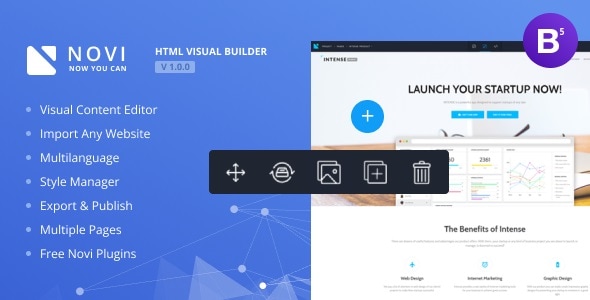
Novi is a self-hosted visual page builder and content editor that runs on a PHP server and lets a site owner assemble or modify HTML pages through a drag-and-drop interface rather than hand-coding them. It is aimed less at the general blogger than at people who build and sell HTML templates, and at agencies or freelancers who want to hand clients a clickable editing environment without adopting a full content management system like WordPress. The category it sits in, Novi Miscellaneous, is a catch-all for the utility scripts that hang off the JavaScript section of CodeCanyon, and buyers researching that category are usually weighing a standalone builder against a CMS plugin or a hosted page tool.
What Novi actually does well: template import, visual editing and export
The core promise is the import path. A developer with an existing HTML template can bring it into the builder and get editable regions mapped onto the markup, rather than rebuilding the layout from scratch inside a proprietary framework. That matters because it preserves the design work already done and turns a static file set into something a non-technical person can change. The vendor describes this as a three-click import of any valid HTML template, and the changelog shows the import pipeline being actively patched over several releases, which is at least a sign the workflow is real rather than a demo-only feature.
Once a project is loaded, editing happens directly on the page. Text is changed by clicking on it, elements can be copied, pasted and replaced, and a Style Manager handles visual properties without opening a stylesheet. There is also a code editor for those who want to drop down to the underlying HTML, plus an inspect mode for tracing a rendered element back to its markup. That combination — visual on top, source underneath — is the sensible arrangement for a tool sold to developers who still want control.
Publishing and portability are handled through project export and import. A finished build can be packaged and moved to another server, and the same mechanism lets a developer distribute a preconfigured starting point to clients. The Media Library stores images and other assets, with an integration to the Unsplash stock photo service added in a later release, and an image-reduction feature for keeping file sizes sensible. Fonts are managed centrally, and the changelog notes a rework of Google Fonts loading specifically to cut memory use and speed up the editor.
A bundled plugin set covers the components most marketing pages need: sliders and carousels (Swiper and Owl), a lightbox gallery, parallax scrolling, Google Maps, icon packs, social widgets, a contact form and a subscribe form. These are shipped as part of the package rather than sold separately, which reduces the amount of third-party assembly a project requires.
Where Novi fits, and where it does not
The clearest fit is the template author. Someone selling HTML themes on a marketplace can offer buyers a visual editing layer as a differentiator, and can ship project files that open straight into the builder. The same logic applies to a freelancer or small agency delivering a static site: handing over a Novi project means the client can change copy and swap images without a support ticket, and without the overhead of installing and maintaining WordPress.
It also suits internal or low-traffic sites where a lightweight PHP application is preferable to a database-backed CMS — a landing page, a campaign microsite, a documentation or portfolio site with a handful of pages. Multilanguage support and a password-protection feature for the front end cover the common needs of those projects, and the bundled Russian, German and French language packs help if the editing team is not English-speaking.
Novi is the wrong choice in several common situations. If the site needs user accounts, comments, e-commerce, scheduled publishing or a plugin ecosystem, a mature CMS is the better foundation, and Novi does not attempt to be one. If the site is already built on WordPress, Squarespace, Webflow or a similar platform, adding a second standalone editor creates two sources of truth and a maintenance problem. And if the requirement is a page builder embedded inside an existing application, the standalone server-side architecture here is more than the job needs. Anyone on a shared host that cannot disable ModSecurity or enable mod_rewrite should also check with their provider first, because the documented server requirements ask for both.
Strengths and limitations in plain terms
Strengths
- Import of existing HTML templates preserves design work instead of forcing a rebuild inside a proprietary format.
- Dual editing model — visual controls plus direct source editing and element inspection — suits developers who want both.
- Project export and import make it practical to distribute templates or migrate a finished site between servers.
- Bundled sliders, gallery, maps, forms and icon tools remove the need to licence or wire up separate libraries.
- SEO utilities generate sitemap.xml and robots.txt from project settings, and an analytics section accepts Google Analytics, Tag Manager, Search Console and Facebook Pixel IDs.
- Actively maintained through a long changelog, with fixes for Firefox loading, publishing errors and Google Fonts performance.
- Strong reception for a niche utility: 2,072 sales and a 4.12 out of 5 average across 85 reviews.
Limitations
- The last update was July 2022. The most recent entry adds CSS variable and Bootstrap 5 compatibility, but there is no evidence of maintenance since then, which is a real risk for anyone planning a long-lived project.
- The rating of 4.12 is good rather than excellent; roughly one buyer in six left fewer than four stars, and the changelog’s density of bug fixes for publishing, media insertion and text styling suggests a history of rough edges.
- Server requirements are specific and non-trivial: PHP 5.4 or newer, the mbstring extension, mod_rewrite enabled, ModSecurity disabled, and raised memory and upload limits. That rules out some locked-down shared hosting.
- It is a page and content editor, not a CMS. There is no database-driven content model, no user roles beyond the built-in password gate, and no plugin marketplace.
- The vendor does not state whether the bundled plugins receive independent security updates, which matters because several of them (maps, forms, social feeds) touch external services.
- Documentation and support terms are not described in the listing beyond a documentation folder in the package, so buyers should confirm the support policy before purchase.
How Novi compares with the alternatives
Against a CMS plus page-builder plugin, Novi trades ecosystem for simplicity. A CMS brings themes, plugins, updates and a large hiring pool, but also hosting overhead, database maintenance and a learning curve for the client. Novi is a flat PHP application with a single editing interface, which is easier to hand over and cheaper to host, but it offers nothing beyond editing and publishing.
Against hosted visual builders, the difference is ownership. Hosted tools handle infrastructure and updates but keep the site on their platform and charge monthly. Novi is a one-off $16 purchase that runs on infrastructure the buyer controls, with source files (JavaScript, JSON, HTML, CSS and PHP) included so the code can be modified. The trade-off is that the buyer also owns the patching, backups and security.
Against hand-coding or a static site generator, Novi adds a client-facing editing layer and a component library at the cost of a server-side runtime. For a developer who never hands a site to anyone else, a generator is leaner. For one who does, the editing interface is the whole point.
Frequently Asked Questions
Do I need coding skills to use Novi Builder?
No for day-to-day editing, yes for setup. Changing text, images, colours and layout happens visually, and clients can work without touching code. Installing the builder on a server, configuring PHP settings and importing a template are developer tasks, and the source code editor is available for anyone who wants finer control.
Can Novi import my existing HTML template?
Yes, that is its main selling point. The vendor states that any valid HTML template can be imported, after which its regions become editable in the visual interface. Templates built on popular CSS frameworks benefit from a preconfigured layers feature added in version 0.9.4, though complex custom JavaScript may need manual adjustment.
Is Novi a replacement for WordPress?
No. Novi edits and publishes pages but has no posts, user accounts, comments, e-commerce or plugin ecosystem. It replaces a page builder, not a content management system. Sites that need those features should stay on a CMS, while static brochure sites, landing pages and template demos can run on Novi alone.
What are the server requirements for Novi?
Apache 2.2 or newer with mod_rewrite on and ModSecurity off, plus PHP 5.4 or higher with the mbstring extension and JSON handling. The vendor also specifies 64M memory and upload limits, a 60-second input time and short_open_tag enabled. Chrome 50+ or Safari 10+ is recommended in the browser.
Verdict
Novi is worth buying for HTML template authors who want to offer a visual editing layer, and for freelancers delivering static sites where the client needs to make changes without a CMS. At $16 with source files included and a solid 2,072-sale track record, the entry cost is low relative to the time it saves on handover. It is not the right purchase for anyone who needs CMS features, for sites already committed to another platform, or for projects that depend on ongoing vendor updates, given the 2022 last-modified date. Buyers should treat it as a capable tool with a maintenance question mark and plan accordingly, keeping their own backups and testing on their hosting before committing a client project.
