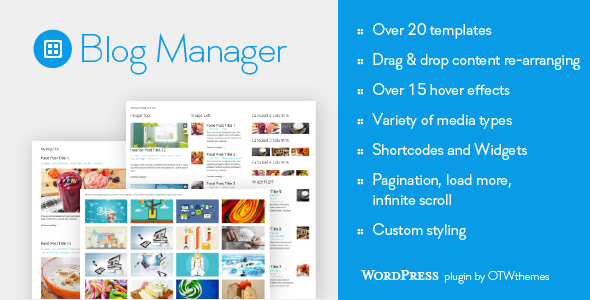
Blog Manager for WordPress Utilities is a plugin from OTWthemes that replaces the limited post listing options built into most themes with a drag-and-drop builder for blog archives, grids, sliders, carousels and widget areas. It ships with more than twenty list templates and over fifteen image hover styles, and every list is inserted through a shortcode, a widget or a template tag. It suits site owners whose theme produces one fixed blog layout and who want several different ones without switching themes or writing a custom loop.
The plugin has been sold 2,204 times on CodeCanyon and holds a 4.21 out of 5 rating across 63 reviews, which places it among the more established items in the WordPress utilities category rather than a new or untested release.
What the plugin actually changes about post listings
The core idea is that a blog list becomes a saved, reusable object rather than a template file. A site can hold any number of these lists, each with its own template, content order, query and styling, and drop them into different parts of the site independently.
Twenty-plus templates and fifteen-plus hover effects
Templates cover the layouts most editorial sites ask for: single, two, three and four column grids; image-left and image-right rows; a newspaper arrangement in two and three columns; a timeline; slider and carousel formats in three, four and five columns; and widget-oriented variants where the image sits above, beside or between text blocks. Hover behaviour is chosen per list, not globally, so a homepage carousel and a sidebar list can look unrelated to each other while remaining consistent within themselves.
Drag-and-drop control over what each item shows
Each list exposes a set of elements — title, media, media type icon, meta data, excerpt, continue reading link and social icons — that can be shown, hidden and reordered by dragging. A second drag-and-drop panel governs which parts of the post meta appear, so date, author, categories, tags and comment count can be arranged separately from the rest of the item. This is the feature that separates the plugin from themes that let you toggle an excerpt but not move it.
Media types beyond the featured image
List items can render an image, a slider, or embedded YouTube, Vimeo or Soundcloud content. For publishers mixing written posts with video and audio, that means a single archive can present each post in its native format instead of forcing everything through the featured image field.
Query, pagination and styling controls
Lists are built by selecting posts through categories, tags or authors, then choosing ordering, pagination behaviour, excerpt length, link and popup behaviour and hover style. Pagination comes in three forms: standard numbered pages, a load-more button and infinite scroll. Styling is handled either through plugin options for titles, excerpts, continue-reading links, backgrounds and borders, or through custom CSS — each list carries its own unique CSS class, so overrides can be scoped to one list without affecting others.
Placement, performance and translation
A finished list can be placed in post or page content through its shortcode, in a template file using the WordPress do_shortcode function, or in a sidebar through the bundled widget. The vendor states the plugin is optimised for large WordPress installations, that list building is grouped and Ajax-based so the page does not reload during editing, and that a live preview is included. It follows WordPress internationalisation standards, so interface strings can be translated. Source files — JavaScript, HTML, CSS and PHP — are included, and the plugin is declared compatible with WordPress 4.9 through 6.0, Gutenberg, Gravity Forms, and all major browsers from IE10 onward.
Where this plugin fits, and where it does not
The clearest fit is an existing site whose theme offers one blog layout. A magazine-style site that wants a four-column image grid on the homepage, a timeline on a category landing page and a compact image-left widget in the sidebar can build all three without touching theme code. Agencies maintaining several client sites benefit from the same pattern: lists are configured per site, and the drag-and-drop interface means a non-developer can adjust an archive after launch.
It also suits publishers with mixed media, since the video and audio embed options remove the need for a separate plugin or manual embed codes in the excerpt. Sites running membership or directory layouts that need post lists in unusual positions — inside a page builder block, inside a template partial — are served by the shortcode and do_shortcode route.
It is the wrong choice for a site that is already happy with its theme’s blog output and has no plans to vary it. Installing a plugin to reproduce an existing layout adds a dependency, an update to track and a small amount of overhead for no visible gain. It is also a poor fit for anyone who needs a page builder’s full layout control, since the plugin styles lists, not pages, and it will not help with custom post type archives outside the standard post query unless the site’s own code supplies them.
Strengths and limitations
Strengths
- Genuinely wide layout range — grids, rows, newspaper, timeline, slider, carousel and widget variants — from one plugin rather than several.
- Per-list control over content order, meta fields and hover style, which is rare in themes and uncommon in free listing plugins.
- Three pagination modes, including infinite scroll and load more, selectable per list.
- Unique CSS class per list makes custom styling predictable instead of a fight with global selectors.
- Shortcode, widget and template-file placement covers most integration points a site will need.
- Translation-ready and shipped with unminified source files, which helps agencies that need to adapt behaviour.
- Established sales history and a developer, OTWthemes, with a track record on the same marketplace.
Limitations
- The most recent vendor update is dated April 2022. WordPress has moved on considerably since then, and the declared compatibility stops at WordPress 6.0, so buyers on current WordPress versions are relying on backwards compatibility that the vendor has not formally confirmed.
- The 4.21 rating across 63 reviews is solid but not exceptional; roughly one in five reviewers did not give it full marks, which is worth reading through before purchase.
- Lists are built from categories, tags and authors. There is no stated support for querying custom post types or custom taxonomies without additional development.
- Styling beyond the built-in options requires comfort with CSS. The plugin provides the class hooks, not a visual style editor.
- Infinite scroll and load more can complicate analytics and crawlability if not configured carefully, and the plugin does not appear to address that trade-off.
- Theme authors who want to bundle the plugin need an extended licence per theme plus written permission from the developer, which is an extra step and cost.
How it compares with the alternatives
There are three broad routes to the same outcome. The first is the theme itself: many premium themes now include several blog layouts, and if the required layout is already among them, a plugin is redundant. The second is a general-purpose page builder with a posts module, which offers more freedom over the surrounding page but typically less precision over the post item’s internal structure — moving the meta line above the title, for instance, is often not possible. The third is a dedicated listing plugin, which is where Blog Manager sits.
Within that third category, the differentiators are template count, per-list styling and the drag-and-drop content ordering. Blog Manager is strong on all three. Where it is weaker than the category ideal is maintenance: a plugin whose last update predates several major WordPress releases asks the buyer to accept some risk. Anyone comparing options should weigh layout flexibility against how actively each candidate is maintained, and treat the April 2022 timestamp as a real factor rather than a footnote.
Frequently Asked Questions
Does Blog Manager for WordPress work with the block editor?
Yes. The vendor lists the plugin as Gutenberg optimised, and lists are inserted into post or page content through a shortcode, which the block editor accepts without issue. The plugin’s own list-building screens are separate from the editor, so day-to-day post writing is unaffected. Compatibility is declared up to WordPress 6.0.
Can Blog Manager display posts from a custom post type?
The vendor does not state that custom post types are supported. Lists are built by selecting categories, tags and authors, which points to the standard WordPress post type. Sites that need to list products, portfolio items or other custom types should confirm this with the developer before buying.
Do I need to know CSS to style the blog lists?
Not for basic styling. The plugin’s options cover titles, excerpts, continue-reading links, backgrounds and borders, and more than fifteen hover styles are built in. Custom CSS is only needed for changes beyond those controls, and each list has its own CSS class so overrides stay scoped to one list.
Is Blog Manager still updated and supported?
The last vendor update was April 2022, and the declared compatibility range ends at WordPress 6.0. The plugin continues to sell and remains available, but buyers should treat the gap since that release as a maintenance risk. The developer invites suggestions and states that requested improvements are added to an update list.
Verdict
Blog Manager for WordPress is worth buying for site owners, freelancers and agencies running WordPress sites whose themes give them one blog layout and who need several — particularly where posts mix images, video and audio, or where lists must appear in sidebars and template files as well as archives. The drag-and-drop content ordering and per-list CSS class are the details that make it more useful than a theme’s built-in options. It is not the right purchase for anyone satisfied with their current blog output, nor for projects that need custom post type queries out of the box. The deciding factor for most buyers will be the update gap: the feature set is broad and the price is low, but the plugin has not been refreshed against recent WordPress releases, so it suits sites that can tolerate that uncertainty rather than those that cannot.