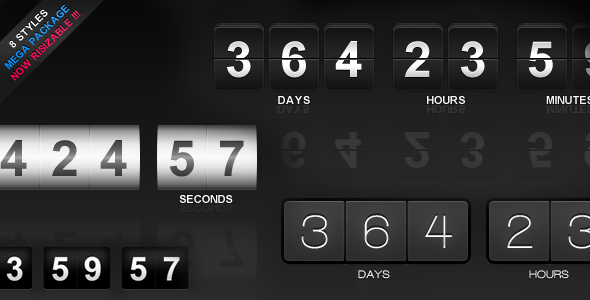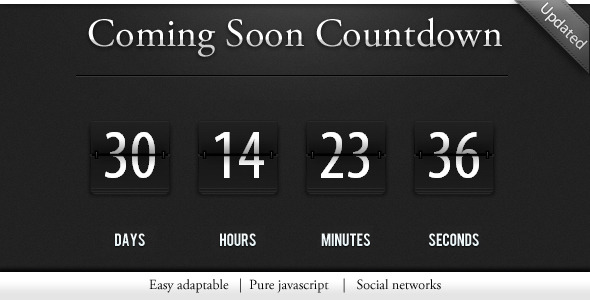
Countdown / construction page is a small standalone script that puts a live countdown timer and an “under construction” notice on a web page. It is built with HTML, CSS and jQuery rather than being a WordPress plugin, so it can be dropped into almost any site or server environment. It suits freelancers and small agencies that need a quick coming-soon or launch page without installing a content management system.
The item is sold on CodeCanyon for $4.00 by the developer confix, and it has accumulated 2,788 sales with a 4.53 out of 5 rating across 221 reviews. Those numbers matter because they indicate the script has been widely deployed and tested in the wild, even though the vendor has not updated it since July 2013.
What the script actually does
At its core, the product does two jobs at once. The first is a countdown clock that ticks down to a target date and time, giving visitors a sense of how long remains before a launch, an event or a site going live. The second is a construction notice, which tells visitors the site is not finished yet and gives them something to look at in the meantime.
The countdown is driven by jQuery, a widely used JavaScript library that simplifies browser scripting. That means the timer runs on the visitor’s machine after the page loads, so it updates every second without the server having to do anything. A fixed reference point of GMT +0:00 was added in a December 2011 update, which matters for anyone counting down to a moment that has to be the same for visitors in different time zones.
The package includes the JavaScript, HTML and CSS source files, plus a layered PSD. The PSD is the useful extra here: it means the visual design can be opened in an image editor and restyled to match an existing brand rather than being locked to whatever the demo looks like. A manual is included for setup, which keeps the configuration burden low for anyone comfortable editing a text file.
Social sharing support was expanded in a July 2011 update, and the same release improved how the page behaves on social platforms and trimmed the amount of code. Those changes suggest the vendor was thinking about the moment a visitor lands on the page from a shared link, which is a common route for a launch announcement.
Browser support is declared for Internet Explorer 6 through 11, Firefox, Safari, Opera and Chrome. That is an unusually broad list, and it reflects the era the script was written in. Modern browsers are covered by the same code paths, so the practical effect is that the timer should render for essentially any visitor.
Where this fits, and where it does not
The clearest fit is a single static page standing in front of a site that is not ready. A freelancer building a client site can publish the countdown page first, collect email interest or simply hold the space, then replace it when the real site is finished. The same applies to a product launch, a conference site going live on a set date, or a domain that has been registered but not yet populated.
It also works for temporary holding pages that are not about a launch at all. A site undergoing a migration, a seasonal business that closes for part of the year, or an internal tool that is being rebuilt can all use a countdown or a simple notice to explain the absence rather than showing a server error.
The product is a poor choice for anyone who needs the countdown to be managed from a dashboard. Because it is not a WordPress plugin, there is no settings screen, no shortcode and no admin panel. Changing the target date means editing a file. On a WordPress site that is workable but clumsy, and it sits awkwardly alongside a CMS that otherwise handles content through a browser interface.
It is also the wrong pick for a project that needs dynamic behaviour beyond a timer. If the page has to collect signups, authenticate users, or pull a date from a database, this script does not do that, and the buyer would be better served by a plugin or a small custom build.
Strengths and limitations
Strengths
- Standalone HTML, CSS and JavaScript means it runs without WordPress, PHP frameworks or any particular hosting stack.
- The layered PSD allows the design to be rebuilt to match an existing brand instead of being stuck with the default look.
- Client-side jQuery rendering keeps server load negligible, which matters on cheap shared hosting.
- A fixed GMT +0:00 reference point makes the countdown consistent for visitors across time zones.
- At $4.00 the cost is trivial relative to the time saved building a timer from scratch.
- Broad declared browser support, including legacy Internet Explorer versions.
Limitations
- The last vendor update was in July 2013. Any bug fixes, security patches or modernisation since then are not documented, and buyers should assume the code reflects 2013 practice.
- No administration interface. The target date is edited directly in the source files, which is impractical for non-technical site owners.
- Because it is not a plugin, integrating it into a CMS requires manual template work rather than an install-and-activate step.
- No high-resolution assets are included, so the graphics will look soft on modern high-density displays without replacement.
- Documentation is described only as a manual for setup. The vendor does not state how detailed it is or whether it covers customisation.
How it compares with the wider category
Countdown and coming-soon tools generally fall into three groups: CMS plugins, hosted landing page services, and standalone scripts like this one. Plugins win on convenience because the date is set from a dashboard and updates arrive through the platform. Hosted services win on speed of setup and often bundle email capture. Standalone scripts win on portability and on having no dependency on a platform that might change under them.
Against plugin alternatives, this product gives up administrative convenience and ongoing maintenance in exchange for working anywhere. Against hosted services, it gives up marketing features such as subscriber collection but keeps the page entirely on the owner’s own domain with no third-party account. For a one-off launch page where the date is known in advance and will not change often, the trade-off is reasonable. For a site that runs many campaigns, the lack of a settings interface becomes a recurring annoyance.
The price point also changes the comparison. At $4.00, the relevant question is not whether it beats a $50 plugin on features, but whether it saves an hour of work. For anyone comfortable editing HTML and CSS, it almost certainly does.
Frequently Asked Questions
Is Countdown / construction page a WordPress plugin?
No. It is a standalone package of HTML, CSS and JavaScript files that runs independently of any CMS. It can be placed inside a WordPress theme template with manual editing, but it will not appear in the plugins list and has no settings screen. Buyers expecting a one-click install should look at a dedicated WordPress countdown plugin instead.
Can the countdown target date be changed easily?
Yes, but only by editing the source files. There is no admin panel or configuration form, so the target date and time are set in the code itself. The vendor includes a setup manual, and the July 2011 update specifically reduced the amount of code, which makes the relevant values easier to locate and change.
Does the timer work correctly for visitors in different time zones?
Yes. A December 2011 update fixed the countdown to GMT +0:00, so the target moment is the same absolute point in time for every visitor regardless of where they are. Each browser then converts that to local time for display. This removes the risk of visitors in different regions seeing different remaining times.
Is the script still maintained?
The vendor has not published an update since July 2013, so it should be treated as a finished rather than actively maintained product. It still functions, and the broad browser support list means it runs in current browsers, but buyers should not expect new features, modernisation or security patches from the developer going forward.
Verdict
Countdown / construction page is worth buying for developers and agencies who need a portable, self-contained countdown or holding page and are comfortable editing HTML and CSS. The included PSD and the fixed GMT reference point make it more practical than a bare snippet, and the 2,788 sales with a 4.53 rating suggest it has held up in real deployments. It is not the right choice for site owners who want to change a date from a dashboard, nor for anyone who needs email capture, user accounts or database-driven behaviour. The lack of updates since 2013 is the main caveat: the code is stable but frozen, and any future browser changes will be the buyer’s problem to solve. At $4.00, that risk is easy to accept for a short-term launch page.