Translucent is a jQuery banner rotator and slideshow script sold on CodeCanyon for $8, built around one distinctive visual idea: captions sit on a semi-transparent panel so the image behind them stays visible. It runs as a standalone JavaScript slider rather than a WordPress plugin, and the author, VF, has sold more than 2,100 copies at a 4.66 average from 197 ratings. Translucent Sliders suit developers and freelancers who want a lightweight, hand-editable image rotator for a homepage hero or gallery and are comfortable placing a script tag and a few configuration values into an existing page.
What the script actually does well
The core mechanic is a slideshow with four transition types — move, fade, slide in and slide out — plus adjustable timing for each change. Autoplay can be switched on with either one fixed delay for every slide or a separate delay per slide, which is useful when some captions need longer on screen than others. That level of control over pacing is more than most cheap sliders offer.
The caption system is where the product earns its name. The text block can be positioned at the bottom by default or floated to a custom position, and its width, height, padding, margin, corner radius, border, background colour, background opacity and shadow opacity are all exposed as settings. The vendor notes that combining background colour, opacity and shadow is how the translucent effect stays legible over busy photography. Text selection inside the caption can be disabled, which prevents accidental highlighting when a visitor drags across the slide.
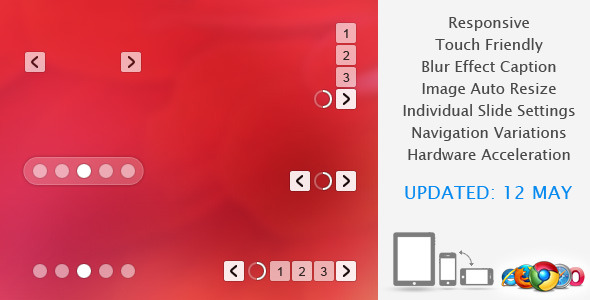
Navigation is similarly granular. Next and back arrows, numbered buttons and a timer clock with play/pause can each be shown or hidden independently. Number buttons can run horizontally or vertically, stay visible permanently or hide until hover, and the arrows themselves accept adjustable colour, opacity, size, margin and spacing. For touch devices the script supports swipe gestures on iPad and Android tablets, with separate sensitivity values for the drag factor and the throw factor measured in pixels, and two swipe transition styles.
On the layout side, the slider responds to viewport width and works in fluid containers, and a method is included for resizing the banner dynamically — relevant when a slider sits inside a tabbed panel or a collapsing sidebar. Images can be loaded from external domains, resized automatically with a fit or fill behaviour, aligned by choice, and preloaded to a configurable count. The download contains JavaScript, HTML and CSS source files, eight example variations and roughly 55 settings. The vendor does not state which browsers beyond a listed set of versions are tested, and the preview images are placeholders that are not licensed for reuse.
Where Translucent fits, and where it does not
This is a good match for a small business homepage that needs a rotating hero with descriptive captions, particularly when the design calls for text over photography and the client wants the image to remain partly visible. It also works as a simple portfolio or product image viewer where the caption carries the item name and a short line of detail. Agencies maintaining several small sites will appreciate that the whole thing is a handful of files with no database dependency and no admin panel to secure.
It is a poor choice for anyone who needs to hand the slider to a non-technical client. There is no WordPress plugin wrapper, no Gutenberg block, no page-builder module and no visual editor — every change means editing configuration values or CSS. Projects that require video slides, layered animation timelines, dynamic post queries or accessibility features such as keyboard focus management and pause controls that meet WCAG expectations should look elsewhere; the vendor does not claim any of these. Sites that must run on a current PHP or JavaScript stack with active maintenance should also weigh the age of the release carefully.
Strengths and limitations
Strengths
- Genuinely deep caption styling, including opacity, shadow and radius, which is the feature most cheap sliders skip.
- Per-slide autoplay delays rather than a single global timer.
- Independent show/hide control for every navigation element, so the slider can be stripped back to arrows only or numbers only.
- Touch swipe with adjustable drag and throw sensitivity, not just a fixed gesture.
- Eight ready-made variations and around 55 settings give a fast starting point without writing code from scratch.
- Plain JavaScript, HTML and CSS source with no framework lock-in and no server-side requirements.
- Strong marketplace track record: over 2,100 sales and a 4.66 rating across 197 reviews.
Limitations
- The last vendor update is dated September 2015. There is no indication of ongoing maintenance, and buyers should assume no support for newer browser behaviours or modern build tooling.
- Configuration lives in script settings and CSS, so there is no admin interface of any kind.
- Only four transition effects, all of them basic positional or opacity changes. There are no Ken Burns zooms, parallax layers or per-element animation sequencing.
- No documented accessibility provisions — the vendor does not mention ARIA roles, keyboard navigation or reduced-motion handling.
- The demo photographs are stock images that are not included; the package ships with placeholders only, so a buyer supplies all imagery.
- Dated browser support list includes Internet Explorer 7 through 11, which signals how old the codebase is rather than a modern compatibility guarantee.
How it compares with the wider slider category
Sliders generally fall into three groups: full frameworks with animation builders, WordPress plugins tied to a CMS, and small standalone scripts. Translucent sits firmly in the third group. Against animation-heavy frameworks it loses on motion design — there is nothing here for layered timelines or scroll-triggered effects — but it wins on weight and simplicity, since there is no build step and no dependency beyond jQuery. Against WordPress slider plugins it loses the admin interface and the ability to pull slides from posts or custom fields, but it also avoids plugin updates, licence tiers and the performance overhead those products often carry. Against other standalone scripts at a similar price, its differentiator is the translucent caption panel and the breadth of caption styling rather than the transitions themselves. A buyer choosing between categories should decide first whether the site is WordPress-driven and whether a non-developer will edit the slides; if either answer is yes, this is the wrong shelf.
Frequently Asked Questions
Is Translucent a WordPress plugin?
No. Translucent is a standalone jQuery script supplied as JavaScript, HTML and CSS files. It can be embedded in a WordPress theme template manually, but it does not install through the plugins screen, does not add an admin settings page and does not integrate with the block editor or any page builder. Adding it to a WordPress site requires editing theme files directly.
Does the translucent caption work on mobile phones?
The vendor documents responsive and fluid layout support plus touch swipe on iPad and Android tablets, and the 2012 update notes performance work aimed at mobile and tablets. Specific phone testing is not stated, so behaviour on smaller screens should be verified in the live preview before purchase. Caption opacity and shadow settings can be tuned to keep text readable at narrow widths.
Can the slider images be loaded from another domain or CDN?
Yes. A vendor update added support for loading images from external domains, alongside options to resize images automatically, choose fit or fill behaviour, set image alignment and define how many images preload. That makes it practical to serve slide imagery from a content delivery network while keeping the script on the main server.
Is the $8 price a one-time payment, and are updates included?
CodeCanyon items are sold as a one-time purchase rather than a subscription, and the listed price is $8. The vendor does not state an update policy, and the most recent release is from September 2015, so buyers should not expect new features or fixes. Standard marketplace support terms apply for the item’s support period.
Verdict
Translucent is worth buying for developers who need a small, dependency-light image rotator with unusually detailed caption styling and are happy to configure it in code. At $8 with eight variations included, the risk is low and the translucent caption treatment is genuinely harder to reproduce quickly with a generic slider. It is not the right purchase for WordPress users who want a settings screen, for anyone who needs video slides, advanced animation or documented accessibility support, or for projects where an actively maintained codebase is a requirement. The 2015 update date is the deciding factor: treat this as a stable, finished script rather than a product still evolving.