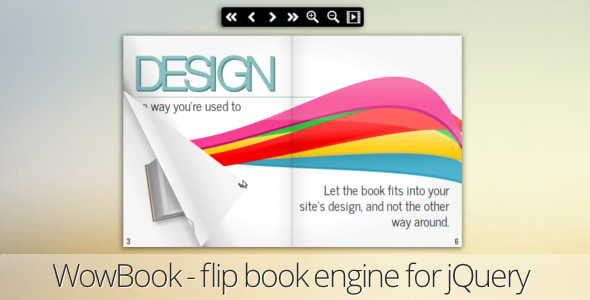
WowBook, a flipbook jQuery plugin Images & Media, is a JavaScript library that turns ordinary HTML, image sets or PDF documents into a page-turning book that runs in the browser. It is sold on CodeCanyon for a one-time $25 and is aimed at developers and agencies who want a magazine-style reader embedded in an existing website rather than a hosted publishing service. Buyers get the JavaScript, HTML, CSS and layered PNG source files, and the plugin works on top of jQuery.
The listing has moved 6,521 sales and holds a 4.63 out of 5 rating across 232 reviews, which puts it among the better-established scripts in its CodeCanyon category. The author, maguiar01, has shipped a long run of incremental updates, the most recent in October 2020.
What the plugin actually does
At its core, WowBook takes a source document and renders it as a two-page spread with an animated page-turn. There are two distinct flip effects: one that mimics a stiff hardcover being lifted, and one that behaves like a flexible sheet of paper. Choosing between them is a design decision rather than a technical one, and the plugin exposes both.
Content can come from three places. The simplest route is hand-written HTML and CSS, which gives full control over layout and lets the book inherit an existing design system. The second is a set of images, typically exported from a design tool such as InDesign. The third is a PDF, rendered client-side through the PDF.js library. That PDF path is the most interesting part of the product: internal links, external HTML links, an extracted table of contents and selectable text all carry through into the flipbook, so a catalogue or brochure does not have to be rebuilt as markup.
PDF search exists but the vendor labels it as beta, and PDF rendering is explicitly broken on Internet Explorer 9 because PDF.js does not run there. That caveat is worth taking at face value.
Navigation and reading controls
Readers get more than a next button. There is a configurable toolbar with font icons, a home control, a page counter, automatic thumbnails, a table of contents, a lightbox mode, lateral navigation buttons, keyboard and mouse-wheel navigation, and a slideshow mode with an optional loop. Deep linking means a URL can point at a specific page or a specific element inside the book, and the browser back button behaves as expected. Single-page and responsive single-page modes handle narrow screens, and covers can be sized larger than the interior pages or removed entirely for a book without covers.
Touch, zoom and responsiveness
Touch support includes pinch-to-zoom and double-tap zoom, and the book can be dragged while zoomed. The container resizes itself to fit different screen dimensions, and the toolbar adapts alongside it. Fullscreen mode is available, and the plugin automatically leaves fullscreen when a lightbox closes. Right-to-left reading order is supported, which matters for Arabic, Hebrew and similar scripts.
Developer-facing options
An API and a set of callbacks are exposed, alongside options for page numbering, thumbnail generation, swipe duration, maximum width and height, custom toolbar strings, and per-page or global thumbnail images without needing a sprite sheet. A separate utility helps generate an image sprite if sprites are preferred. Lazy loading keeps long documents from blocking the initial render, and a page-turn sound plays in browsers that support the audio tag.
Where WowBook fits, and where it does not
The strongest fit is a publisher, agency or in-house developer who already runs a jQuery-based site and needs an embedded reader for a brochure, product catalogue, annual report, magazine back issue or course handbook. Because the plugin accepts PDF, a team that already produces print-ready PDFs can publish them without a second layout pass. The deep linking and back-button support make it viable for linking into a marketing site from an email or an ad, which a plain embedded PDF viewer handles poorly.
It also suits projects with tight hosting requirements. Everything runs client-side, so there is no third-party service, no per-view billing and no document upload to an external platform. For a company with confidentiality constraints around supplier catalogues or internal handbooks, that matters.
It is the wrong choice for a few scenarios. Anyone building on React, Vue or another component framework will be working against the grain, because this is a jQuery plugin and the integration will be an escape hatch rather than a native component. Projects that need genuine paginated text reflow, accessibility-grade reading order, or a document that reflows to fit any viewport will find a fixed-layout flipbook unsatisfying, since the page is a designed canvas rather than flowing content. And anyone who needs active vendor support with a guaranteed response time should note that the last update was in October 2020, so the codebase is stable but not actively evolving.
Strengths and limitations
Strengths
- Three content sources in one plugin: HTML/CSS, images and PDF, so the same component covers hand-built layouts and print exports.
- PDF handling goes beyond display: internal links, external links, extracted table of contents and selectable text all survive the conversion.
- Deep linking plus browser back-button support makes individual pages addressable from outside the site.
- Two distinct page-turn animations, including a hardcover effect, rather than a single generic flip.
- Touch gestures, responsive resizing, fullscreen, single-page mobile mode and right-to-left support are all included rather than sold as extras.
- Source files are included, so the CSS and JavaScript can be modified rather than treated as a black box.
- A long, documented update history with named options and bug fixes gives a clear picture of what has been addressed.
Limitations
- The last vendor update was October 2020. jQuery itself has moved on considerably since then, and there is no indication of ongoing maintenance.
- PDF search is flagged as beta by the vendor, so it should not be relied on as a primary feature.
- PDF rendering does not work on Internet Explorer 9, and the plugin drops support for IE7 and IE8 entirely. Legacy browser requirements need checking before purchase.
- Fixed-layout flipbooks are not accessible documents. Screen readers and text-reflow expectations are not addressed in the feature set.
- Being a jQuery plugin, it does not fit naturally into modern component-based front ends without extra glue code.
- Thumbnail handling has needed repeated attention across releases, including a Chrome misalignment fix tied to jQuery 3.2.0 and later, which suggests the thumbnail layer is the most fragile part of the code.
- The listing does not state a documented browser-support policy beyond a version list, nor any performance guidance for very large PDFs.
How it compares with the wider category
Flipbook tools generally fall into three groups: hosted publishing platforms, standalone desktop converters, and self-hosted JavaScript libraries like this one. Hosted platforms are easier to start with and handle storage, analytics and delivery, but they charge recurring fees, keep the document on someone else’s servers, and limit how far the presentation can be customised. Desktop converters produce a finished folder of files but offer little runtime flexibility and no API.
A self-hosted library sits in the middle. It costs once, runs inside an existing site, and exposes options and callbacks that the other two models do not. The trade-off is that integration, styling and troubleshooting are the buyer’s responsibility. Within that middle group, WowBook’s distinguishing feature is the PDF pipeline: many comparable libraries treat PDF as a flat image export, whereas this one preserves links, an outline and selectable text. If the source material is already a PDF and those details matter, that is the deciding factor. If the source is hand-built HTML, the advantage is smaller and the choice comes down to animation quality and API surface.
Frequently Asked Questions
Does WowBook work with PDF files without converting them first?
Yes. WowBook renders PDF documents directly in the browser using the PDF.js library, so no server-side conversion step is required. Internal links, external HTML links, an extracted table of contents and selectable text are preserved. The vendor notes that PDF rendering does not function on Internet Explorer 9, and that PDF search is still labelled beta.
Is WowBook responsive on mobile devices?
Yes. The plugin resizes the book to match the screen, offers a responsive single-page mode intended for phones, and includes a toolbar that adapts to smaller widths. Touch gestures are supported, including pinch-to-zoom and double-tap zoom, and the book can be dragged while zoomed in. Fullscreen mode is also available.
What do I need to run this flipbook plugin on my site?
jQuery is the only stated software requirement, and the package includes JavaScript, HTML, CSS and layered PNG source files. Content can be authored in HTML and CSS, supplied as images, or loaded from a PDF. The vendor lists compatibility with Chrome, Firefox, Safari, Opera and Internet Explorer 10 and 11, and the plugin does not require Flash.
Can a flipbook link to a specific page from outside the site?
Yes. Deep linking allows a URL to open the book at a chosen page or at a specific element inside it, and the browser back button works as expected while navigating. This makes it practical to point an email campaign, an advertisement or an internal wiki entry at a particular spread rather than the cover.
Verdict
WowBook is a sensible purchase for developers maintaining a jQuery-based site who need to publish catalogues, brochures or reports as an embedded, page-turning reader, particularly when the source material is already a PDF and internal links and an outline need to survive. The $25 one-time price, the 6,521 sales and the 4.63 rating from 232 buyers indicate a product that has been used widely and largely works as described. It is not the right pick for teams building on React or Vue, for projects with strict accessibility requirements, or for anyone who needs a vendor actively shipping updates, since the last release was in October 2020. Buyers in those categories should look at component-native readers or hosted publishing platforms instead. For everyone else, the feature set is unusually complete for the price, and the included source files mean the presentation can be reshaped to match an existing brand.