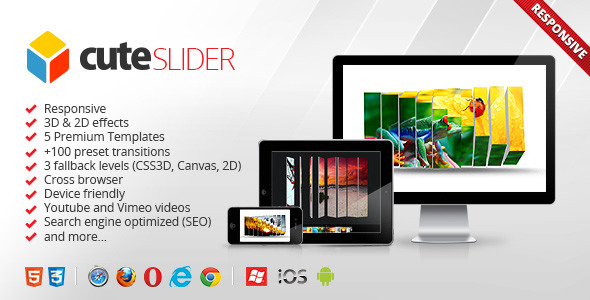
Cute Slider Sliders is a JavaScript image slider script sold on CodeCanyon for $5, built around a large library of 3D and 2D transition effects, responsive layouts and four or five ready-made templates. It runs independently of any CMS or framework, so it suits developers and agencies who need an animated slider on a hand-coded HTML site, a PHP build or a theme that does not ship with one. Buyers should know before anything else that the developer, averta, stopped supporting the item in February 2015 and now points customers toward its successor, Master Slider.
What the script actually does well
The core of the product is its transition engine. The vendor ships more than 100 preset transitions and a separate transition gallery tool that previews each effect so one can be picked and dropped into a configuration without writing animation code by hand. That library is the reason most buyers arrive: a plain fade or slide is trivial to build, but convincing 3D cube, flip and parallax-style movement is not, and having a hundred variations ready to test saves real hours on a project with a visual brief.
Those effects degrade in a considered way. The slider tries CSS3 3D transforms first, falls back to the HTML5 Canvas element when 3D transforms are unavailable, and drops to a flat 2D mode as a last resort. In practice this means an older browser or a low-powered device still gets a working slider rather than a blank space. The vendor lists support from Internet Explorer 7 upward alongside Chrome, Firefox, Safari, Opera and Edge, and states that the slider works on iPhone, iPad, Android and Windows Phone. Touch navigation was added in version 2.1, so swiping between slides is handled on mobile rather than relying on arrow clicks.
Content handling goes further than images. Slides can carry YouTube or Vimeo embeds, formatted captions, arbitrary HTML blocks and individual link destinations, so a slide can act as a promotional panel rather than a static picture. There is also a shuffle mode for slideshow order, a pause-on-hover toggle, and thumbnail previews on the navigation controls. A smart resource loader defers loading of off-screen slides, which matters on image-heavy homepages where every slide loading at once would hurt initial page speed.
Two structural decisions are worth noting. The markup is described as clean, valid and search engine optimised, which in a slider context usually means slide content sits in the page as real HTML rather than being injected by script, so headings and captions remain readable to crawlers. And the script is framework independent — it does not require jQuery or any other library — which keeps it light and avoids conflicts with whatever else a page already loads. The download includes source JavaScript, HTML and CSS, layered PSD files for the templates, documentation and working examples.
Where it fits, and where it does not
The strongest fit is a static or custom-built site where the developer controls the markup and wants a distinctive hero section without adopting a full framework. Agencies maintaining legacy PHP sites, particularly ones that still need to render acceptably in old Internet Explorer, are another natural audience, since the three-tier fallback is unusual in modern slider scripts. Theme authors also used it heavily — the vendor’s own example list is almost entirely theme demo pages — so anyone building a theme for resale may find the template and PSD files a useful starting point.
It is the wrong choice for a WordPress site. The item is a JavaScript script, not a plugin, and the developer’s recommended path for WordPress users is the separate Master Slider product. Anyone who wants a slider they can install from the WordPress dashboard, update safely and get help with should not buy this. The same applies to projects with a long support horizon: with support withdrawn in 2015, a bug that appears after a browser update will not be fixed by the vendor. A site owner with no JavaScript experience who needs hand-holding is also poorly served here, because there is nobody left to provide it.
Strengths and limitations
Strengths
- A very large preset transition library with a visual gallery for choosing effects, which removes most of the manual work from building animated slides.
- Sensible fallback chain from CSS3 3D to Canvas to 2D, so the slider keeps functioning on old browsers and weaker mobile hardware.
- Framework independent, with no jQuery dependency to conflict with an existing stack.
- Video embeds, HTML slide content, per-slide links, captions and shuffle mode cover most real slider requirements out of the box.
- Layered PSD files and editable CSS mean the templates can be restyled to match a brand rather than used as shipped.
- At $5 with roughly 1,950 sales and a 4.7 average from 170 ratings, the financial risk is negligible.
Limitations
- Support ended in February 2015 and the last update was published on 27 February 2014. No bug fixes, browser-compatibility patches or security review should be expected.
- The codebase predates modern front-end practice. There is no mention of accessibility features such as keyboard navigation, focus management or reduced-motion handling, and a 2014 script is unlikely to include them.
- There is no WordPress plugin, Gutenberg block or page-builder integration. It has to be wired into a template by hand.
- Documentation is bundled as static files with no living knowledge base or community forum behind it.
- The vendor’s own listing contradicts itself on template count, stating four in one place and five in the feature list and changelog, which is a small sign of how carefully the page is now maintained.
How it compares with the wider slider category
Modern slider tools generally compete on integration and longevity rather than raw effect count. A typical commercial slider today ships as a WordPress plugin or a page-builder module, receives regular updates, and includes accessibility work such as keyboard controls and motion preferences. Cute Slider competes on the opposite axis: it is a standalone script with an unusually deep transition library and unusually broad legacy browser support, sold once for a token price with no subscription.
Against free open-source sliders, the trade-off is different again. Free libraries are actively maintained and documented by a community, but they typically offer a modest set of effects and expect the developer to build captions, video handling and navigation from scratch. Cute Slider bundles all of that, plus the PSDs, which is where the $5 goes. The honest summary is that this is a well-built 2014 product being sold as-is: excellent value for a developer who wants its specific effects on a site that will not change much, and a poor foundation for anything that needs to be maintained for years.
Frequently Asked Questions
Is Cute Slider still supported or updated?
No. The developer withdrew support in February 2015, and the last recorded update was published on 27 February 2014. Buyers get the files and documentation as they stand, with no fixes for later browser changes. The vendor’s own listing recommends its newer Master Slider product instead.
Does Cute Slider work with WordPress?
Not as a plugin. It is a standalone JavaScript slider that has to be embedded in a theme template by hand, and the developer steers WordPress users toward Master Slider. The many WordPress demo links in the listing are themes that bundled the script, not evidence of a plugin.
Can Cute Slider show YouTube and Vimeo videos in slides?
Yes. Slides accept YouTube and Vimeo embeds alongside images, formatted captions, HTML content and per-slide links. The smart resource loader defers off-screen slides, which helps keep video-heavy pages from loading everything at once, though the vendor publishes no performance figures.
Will Cute Slider work on phones and older browsers?
Yes, within the limits of its era. It uses CSS3 3D transforms where available, falls back to HTML5 Canvas, then to a flat 2D mode, and the vendor lists support from Internet Explorer 7 upward plus iPhone, iPad, Android and Windows Phone. Touch navigation was added in version 2.1.
Verdict
Buy Cute Slider if the project is a hand-coded or PHP-based site that needs a rich set of 3D transitions quickly, if legacy browser support is a genuine requirement, or if the layered PSDs and template files are useful to a theme-building workflow. At $5 with a 4.7 rating across 170 reviews, it is a low-risk purchase for that narrow job.
Do not buy it for a WordPress site, for a client project that will be maintained and updated over several years, or for anything where accessibility compliance and ongoing vendor support are requirements. Those needs point to a maintained plugin or an actively developed open-source library. Treat Cute Slider as a frozen, capable tool from 2014 rather than a product with a future, and the decision becomes straightforward.